Choose
Drop in a photo or artwork that you own or have permission to use.
Codex skins for Desktop
Turn any image into an installable Codex skin for Mac or Windows. Preview locally, then restore anytime.

A Codex skin is a custom visual theme for Codex Desktop. It can add your image, matching colors and translucent surfaces without replacing native controls. CodexSkin Studio packages the open-source Codex Dream Skin engine without requiring Git or manual configuration.
Use the free Codex skin generator, browse Codex skin examples, or read the Mac and Windows install guide.
Drop in a photo or artwork that you own or have permission to use.
Frame it against the real Home, Task and Diff layouts.
Choose Mac or Windows and build the complete ZIP locally.
Open the visible installer. Use Restore whenever you want the original look.
Check the crop, dimming and readability across Home, Task and Diff before you install anything. The preview uses fictional content and stays on your device.
Create my skin
See how different artwork changes the atmosphere while the familiar Codex layout remains readable.
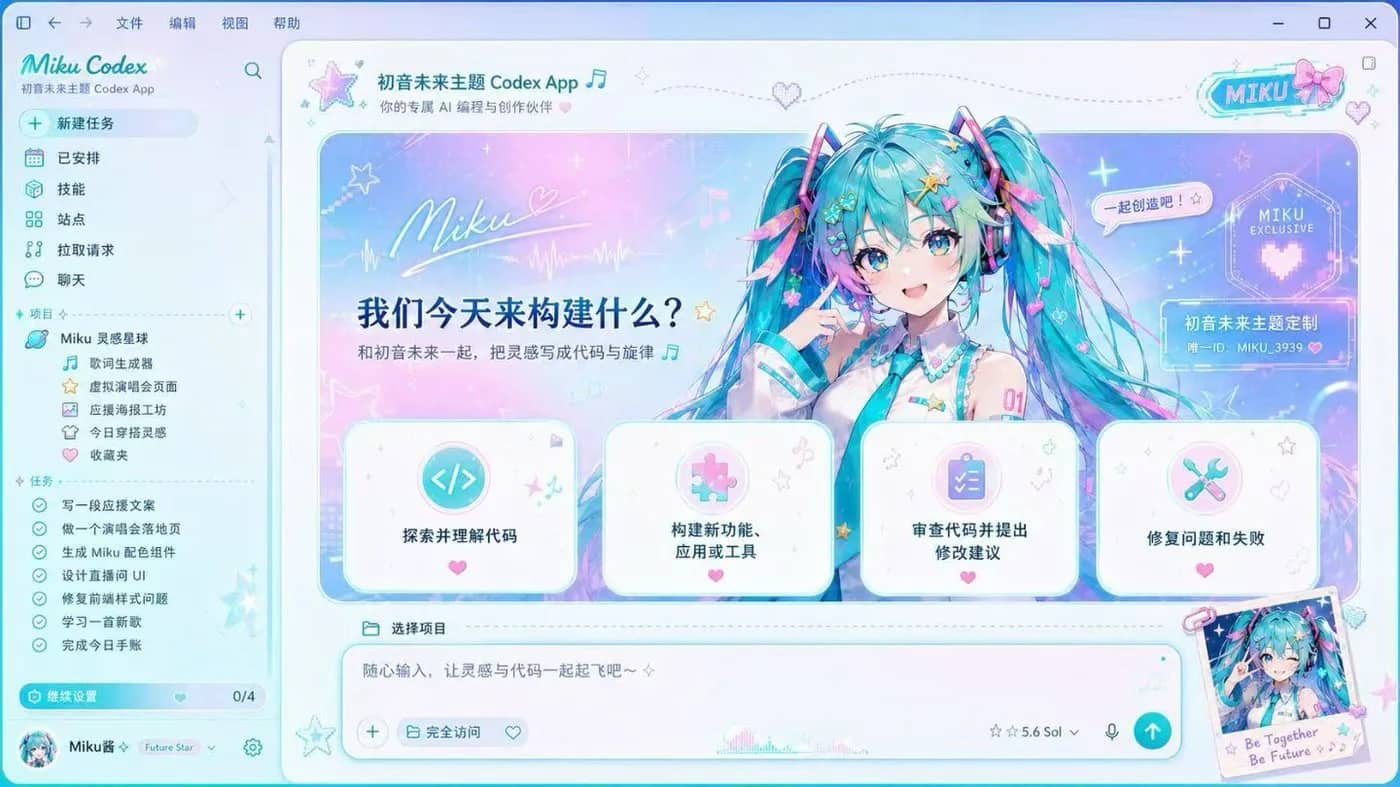


Both packages include your artwork, the skin engine, a visible installer and a Restore path. Windows requires Node.js 22 or newer.
Read install guideCodexSkin Studio is the no-code builder. It packages your artwork with the pinned open-source Codex Dream Skin engine and records the exact source used.
1.2.05fd8af532efbaa87d2d0092297fd2d45cd56574eInstall, Verify and RestoreInstall, Start and RestoreSource verified July 17, 2026. Every custom ZIP receives a new SHA-256 checksum in the Studio.
Your image is processed in the browser and added to the ZIP locally. The documented flow does not modify .app, app.asar, WindowsApps, API keys, or model provider settings.
The theme uses Chromium DevTools Protocol on 127.0.0.1. CDP is powerful, so avoid untrusted local software during a themed session and use Restore when you are done.
A Codex skin is a custom visual theme for Codex Desktop. CodexSkin uses the unofficial open-source Codex Dream Skin engine to add a background and styling through a local CDP connection while native controls remain interactive.
Open CodexSkin Studio, drop in an image, adjust the crop and readability, check the Codex preview, choose Mac or Windows, and download the installable ZIP.
The Studio creates a complete macOS or Windows installer ZIP containing your processed background, theme manifest, pinned open-source engine, and visible Install, Verify and Restore entries.
No. Image processing and ZIP generation happen in your browser. CodexSkin does not need an image upload endpoint or an account.
The installer templates are built from upstream version 1.2.0 at commit 5fd8af532efbaa87d2d0092297fd2d45cd56574e. Each generated download displays its own SHA-256 checksum.
No. The documented workflow launches the official Codex Desktop app with a local-loopback CDP connection. It does not patch the official app bundle, WindowsApps files, app.asar, or the code signature.
Yes. The macOS and Windows packages create a Restore entry that stops the themed session and reopens Codex normally.
The Studio creates custom installers for Apple Silicon Macs, Intel Macs and the Microsoft Store version of Codex on Windows. Windows currently requires Node.js 22 or newer.
Start with any image. Finish with a private, installable skin.